


In today’s fast-paced digital world, turning long-form content into engaging short videos has become essential for creators. While Vizard is a popular tool for clipping and repurposing videos, it may not always offer the flexibility or pricing that every user needs. If you want to explore Vizard alternatives, we’ll recommend FlexClip to help you streamline your workflow and maximize your content’s reach.
In this article, we’ll introduce FlexClip - the best alternative to Vizard for you to transform long videos into compelling short-form content with ease. It will use AI to automatically create engaging clips from your content.
Customizable Templates to Showcase AI-generated Clips



Why Choose to Turn Long-form Content into Shorts?
In today’s fast-paced digital world, attention spans are shorter than ever. While long videos are great for detailed explanations or storytelling, short-form content dominates platforms like TikTok, Instagram Reels, and YouTube Shorts. Converting your long videos into engaging, bite-sized clips can dramatically increase your reach, boost engagement, and help you capture new audiences. That’s where AI-powered tools come into play, making the editing process smarter, faster, and more efficient.
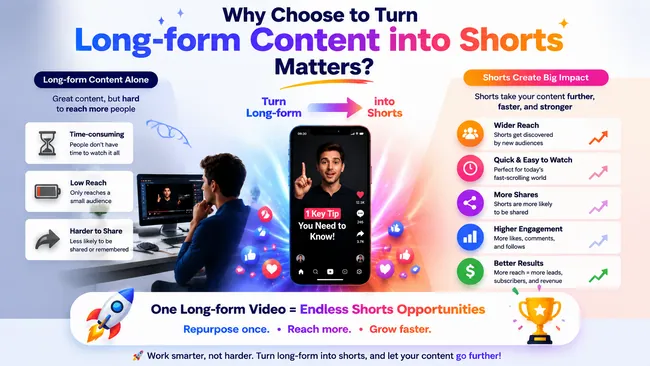
Reason to Turn Long-form Content into Shorts
Part 1 Try to Get Viral-worthy Clips with AI - Vizard
Vizard can help teams turn long videos into short clips fast. You can let AI find highlights and reframe for TikTok, Reels, and Shorts. Vizard automatically identifies engaging moments, cuts them with one click, and centers key subjects in vertical format, no manual resizing needed. Vizard makes trimming clips super easy. You have the option to trim either automatically or manually. When you upload a video, Vizard will automatically transcribe all videos. Consequently, you can effortlessly trim your videos by removing text or create new clips by selecting the relevant text segments. Trimming clips is now as straightforward as editing a document.
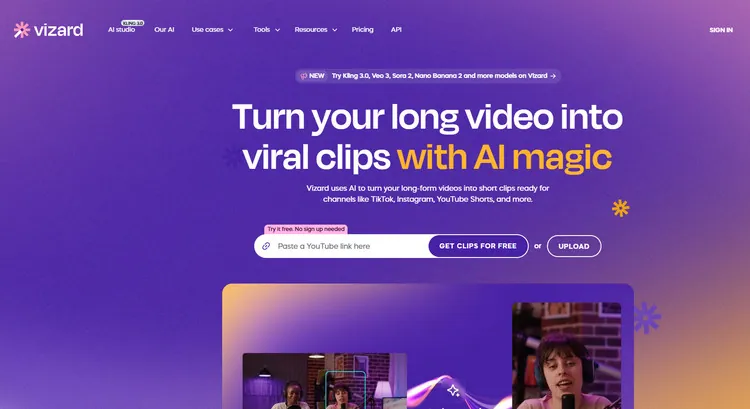
Try to Get Viral-worthy Clips with AI - Vizard
Moreover, you can choose to add dynamic, creator-style captions and auto-generated emojis to make your videos more expressive and engaging. It offers captions with personality in 50+ languages. If you’re struggling with what to write, Vizard’s AI can craft compelling descriptions and optimized hashtags in seconds. And you can choose to hook your viewers with auto B-roll. Vizard will find and insert relevant B-roll clips automatically to enrich your story and keep viewers watching.
Vizard is designed to help creators turn long videos into short, engaging clips with minimal effort. Here’s how it works:
Part 2 Try to Get Viral-worthy Clips with AI - FlexClip
Want to find an alternative tool to Vizard to get viral-worthy clips? FlexClip can make short teasers or exciting parts from your long-form videos. Backed up with its advanced AI, you can do all that without any trouble. Just upload your videos there, and FlexClip can clip for you automatically. With a few clicks, your video clips will be ready for social media here. You don't need to know about video editing before – FlexClip will take care of the hard stuff with its secret AI editing magic.
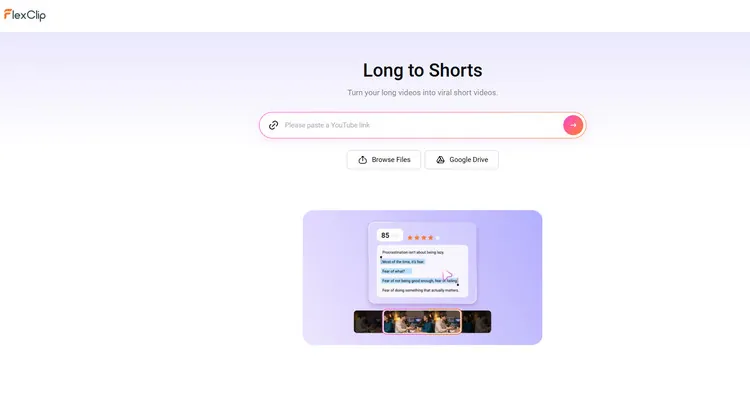
Try to Get Viral-worthy Clips with AI - FlexClip
FlexClip changes the tedious process of going through your video footage to identify what to leave out for you. Its AI can automate the entire process for you. What you need to do is to upload the long video to FlexClip, and then it will identify your video highlights and automatically turn them into clips ready for social media. What traditionally takes you hours to create can now be done in just a few minutes.
FlexClip gives you complete freedom to share your clips exactly how you want. Whether you want to publish each clip directly to social media or download multiple clips for advanced editing, FlexClip makes it effortless. Plus, when you share a clip online, its AI Write feature will automatically generate engaging and relevant titles and descriptions, helping your audience instantly understand and connect with your content. And if you’re not satisfied with the AI-generated clip, you can switch to FlexClip’s editor to do more edits on it. You can adjust its caption manually or choose to add some social icons to it, and so on.
How to Get Viral-worthy Clips AI in FlexClip?
Upload Your Video - FlexClip
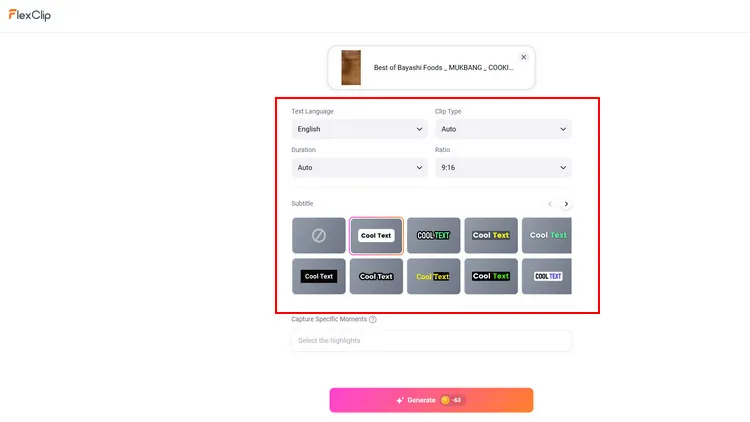
Setting Page - FlexClip
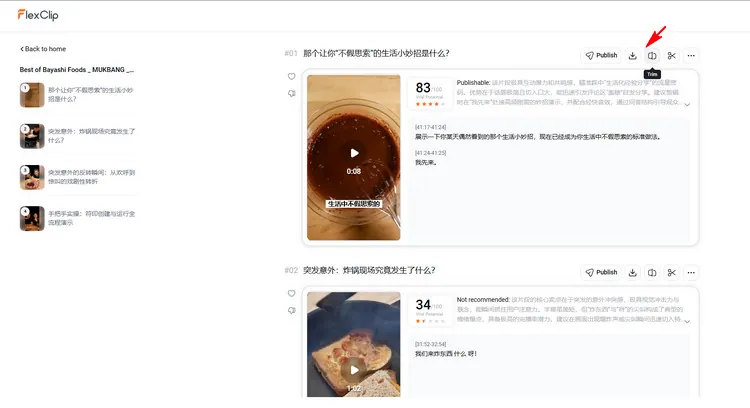
Long to Shorts - FlexClip
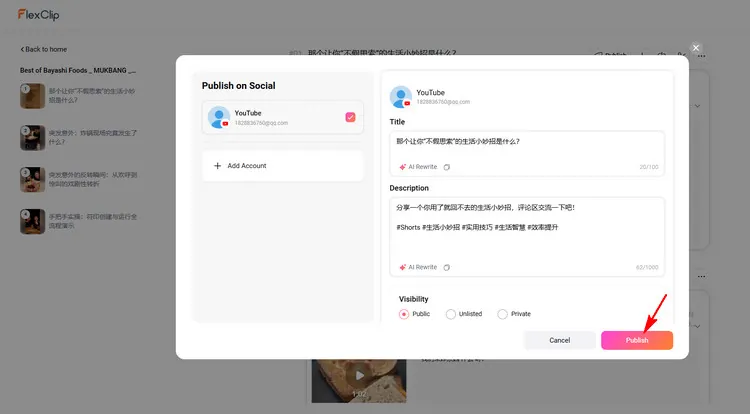
Download AI-generated Clips - FlexClip
Conclusion
Now that you know the excellent alternative tool to Vizard to get exciting parts from your long form videos with AI effortlessly. Let’s choose it to begin your AI video creation!




FlexClip AI Video Maker
Reach professional-quality videos faster with easy editing tools, templates, and smart AI.
Start Now for Free
Hot & Trending
-

Best Ways to Find Music in YouTube Videos
-

Instagram Story Video Quality Bad After Upload? Fix It!
-

How to Repost Video on TikTok & How to Remove TikTok Repost
-

Improve Video Quality Online: 3 AI Video Quality Enhancers You Can't Miss
-

4K Convert to HD 1080p without Watermark: Best 4k Video Converters
-

Best 8 Free Video Editors - No Download Required
-

Top 13 Birthday Video Makers with Music and Effects Free
-

How to Search Filters on TikTok & Use a Filter You See - TikTok Filter Guide




